Create New Note

To create a new note in Wiki of MChat, follow these steps:

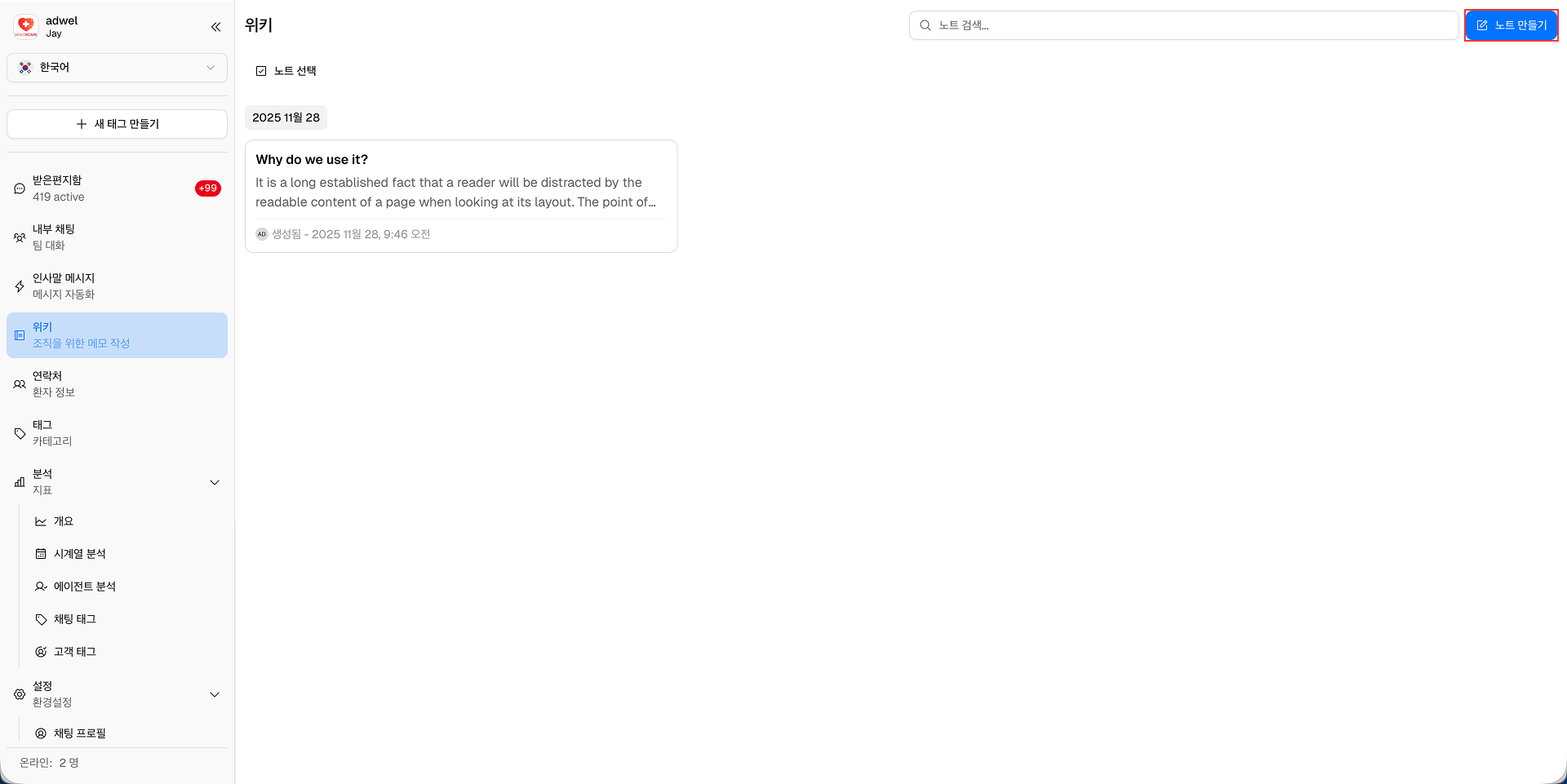
Step 1: Navigate to the Wiki Management Interface. Click on the "Create New Note" button located at the top right corner.

Create New Note Button

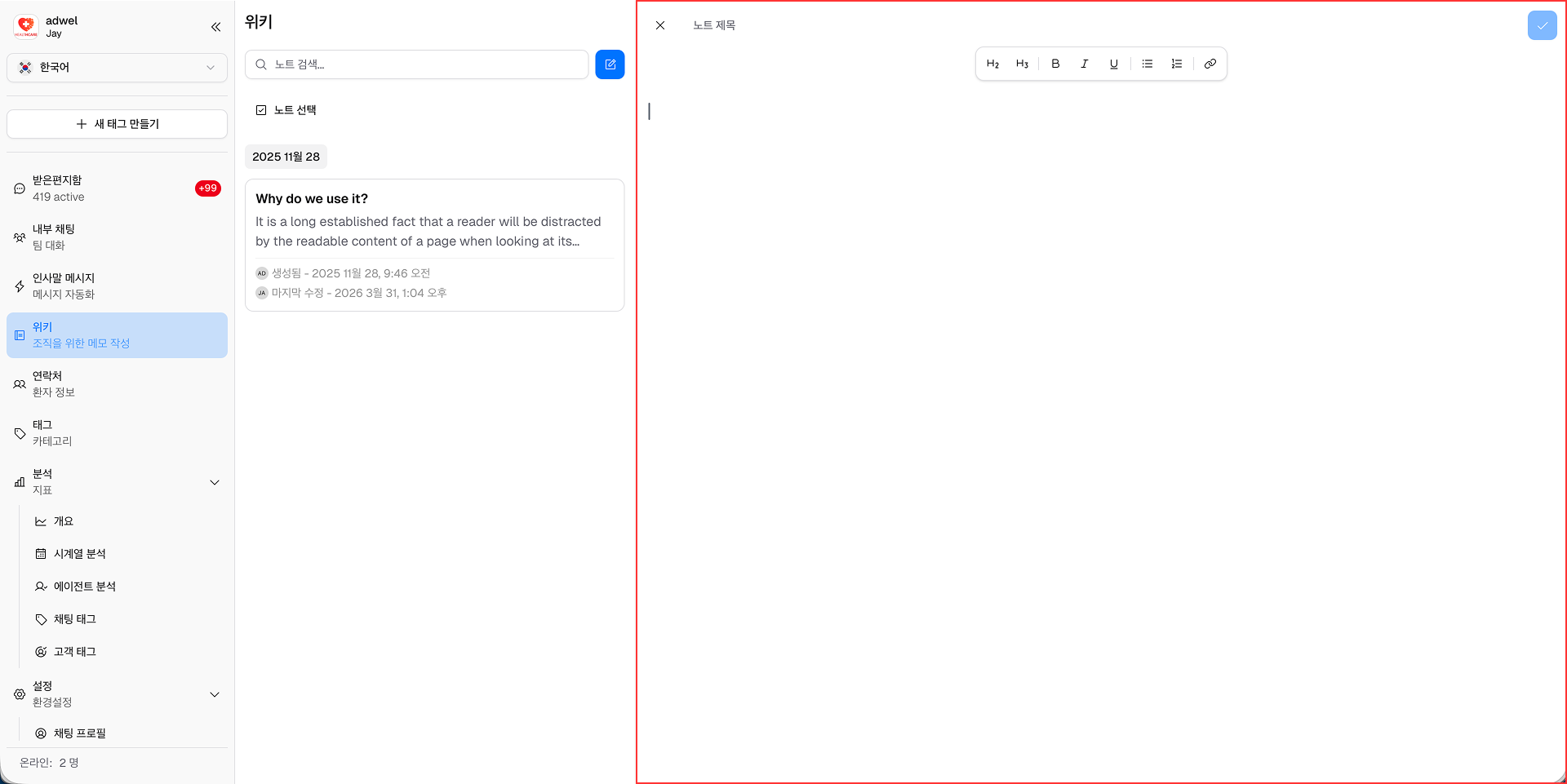
Step 2: Note Editor will be slided in from the right side of the screen. Fill in the required information.

Create New Note Popup

You can leave the note name empty, and the note will be saved with a default name "Untitled Note".

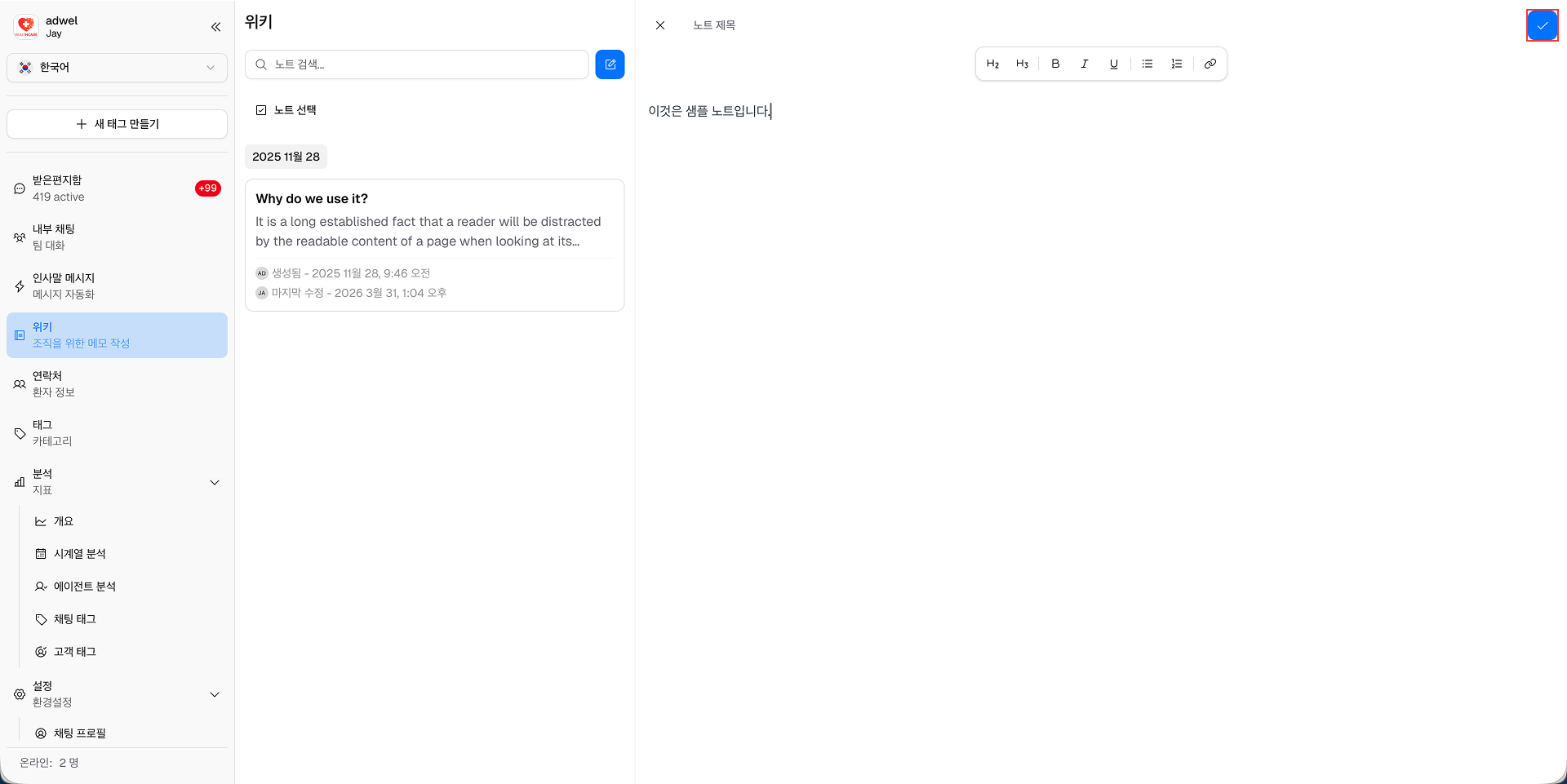
Step 3: Click the Save Button to save the note after you have finished editing.

Create New Note Popup

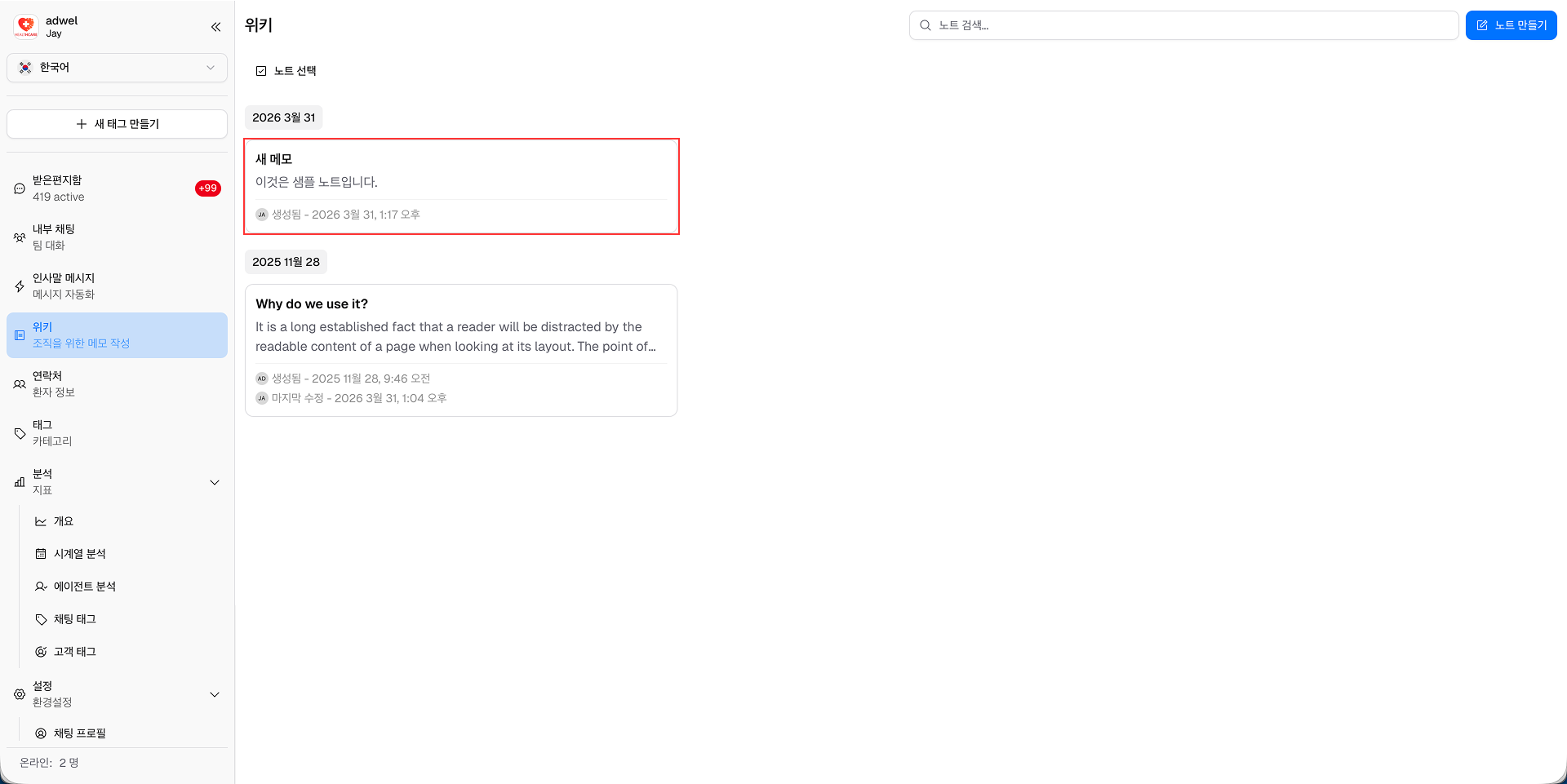
The new note will now appear in the Note List section of the Wiki Management Interface.

Create New Note Popup