Get Started

Contact Introduction

The Contact feature in Internal Chat allows agents to manage and interact with patients who have reached out for support or inquiries with MChat widget on website or application

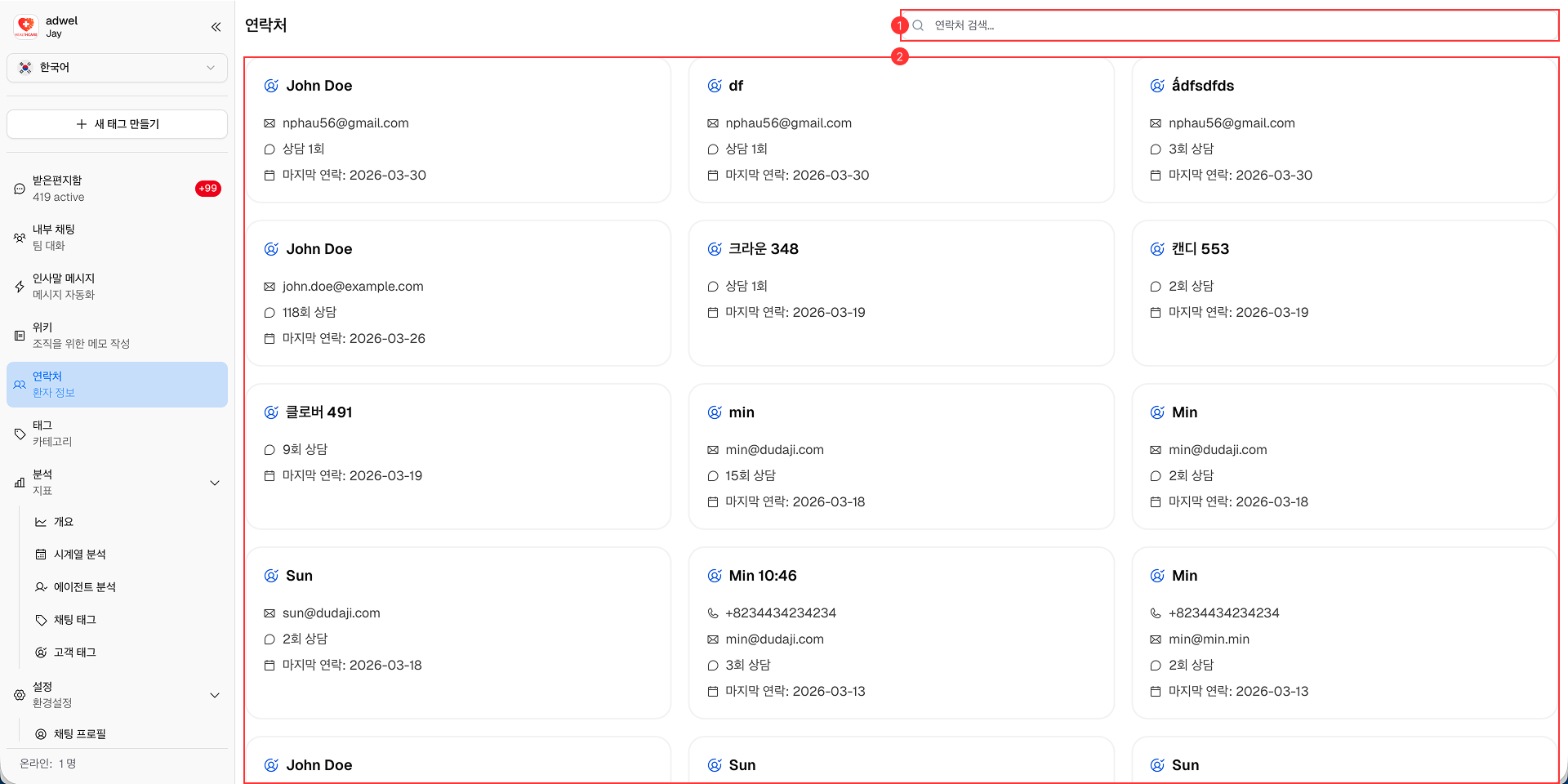
Contact Management Interface Overview

The Contact interface is designed to be user-friendly and intuitive, allowing agents to efficiently manage patients.

Contact management interface

It consists of the following main components:

  1. Search bar: Allows agents to search for specific patients by name

  2. Contacts list: Displays a list of all patients who have contacted support through the MChat widget.

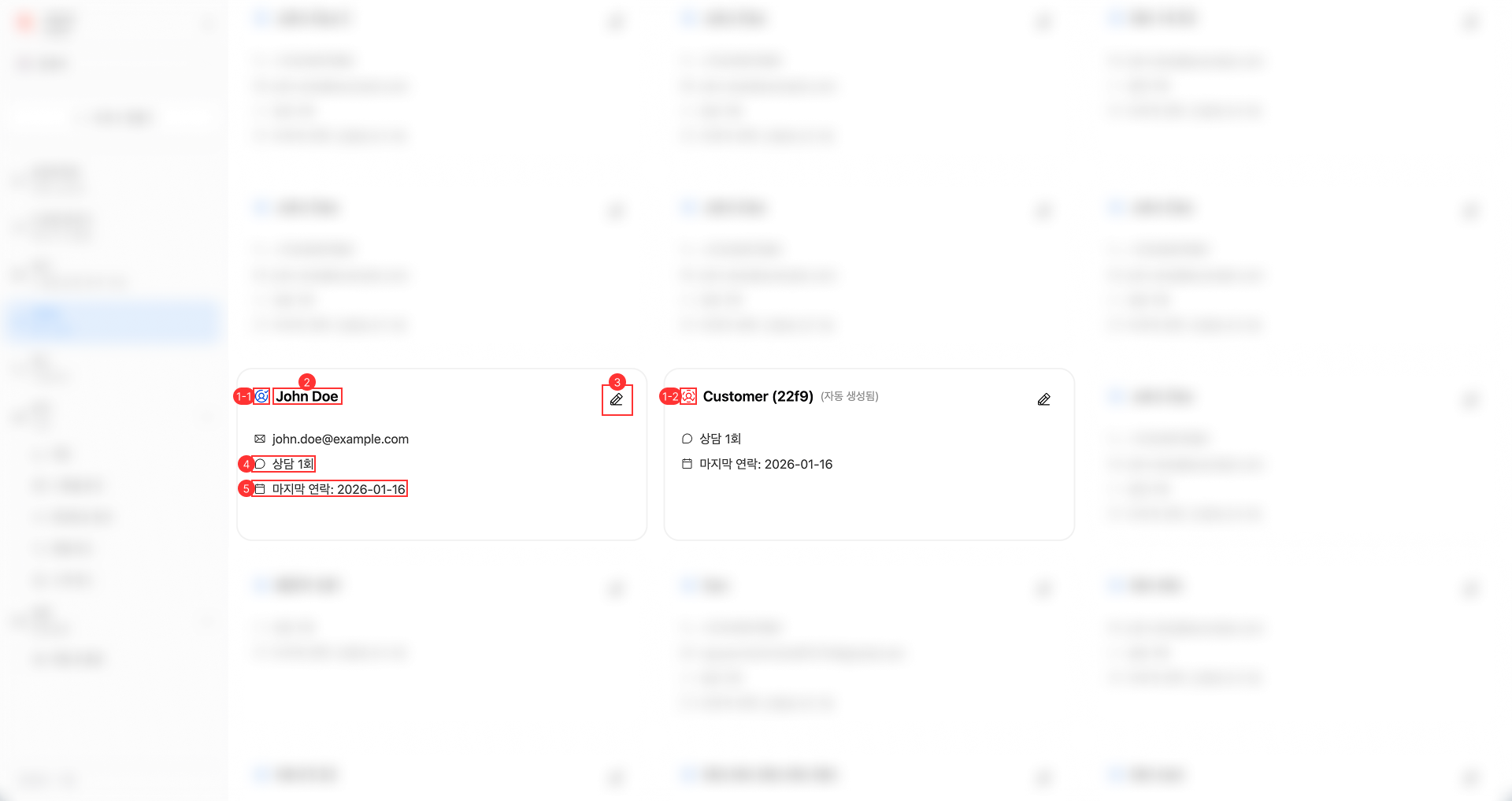
Contact item Interface Overview

Contact item interface

It consists of the following main components:

  1. Patient's type icon: Indicates whether the patient is a customer or a visitor.

    • 1-1. Customer icon: Represents patients who are registered users in the Mobidoc's database and reached out through the MChat widget on Mobidoc Mobile App.
    • 1-2. Visitor icon: Represents patients who are not registered users in the Mobidoc's database or reached out through the MChat widget on hospital Website.
  2. Patient's name: Displays the name of the patient.

    • Customer: Pulled from Mobidoc's database and cannot be changed.
    • Visitor: Can be changed by agent to better identify the patient.
  3. Edit button: Allows agents to edit the patient's information:

    • Display Name (for Visitor type only)
    • Phone number (for Visitor type only)
    • Email (for Visitor type only)
    • Tags
    • Memo
  4. Consultation count: Displays the total number of chat sessions the patient has had with support agents.

  5. Last contact: Displays the date when the patient last contacted support.