채팅 태그 분석
Chat Tags Analytic 페이지는 선택한 기간 동안 Chat에 할당된 Tag의 성과에 대한 인사이트를 제공합니다. 할당된 Chat 수, 평균 Response Time 등 다양한 지표를 분석할 수 있습니다.
-
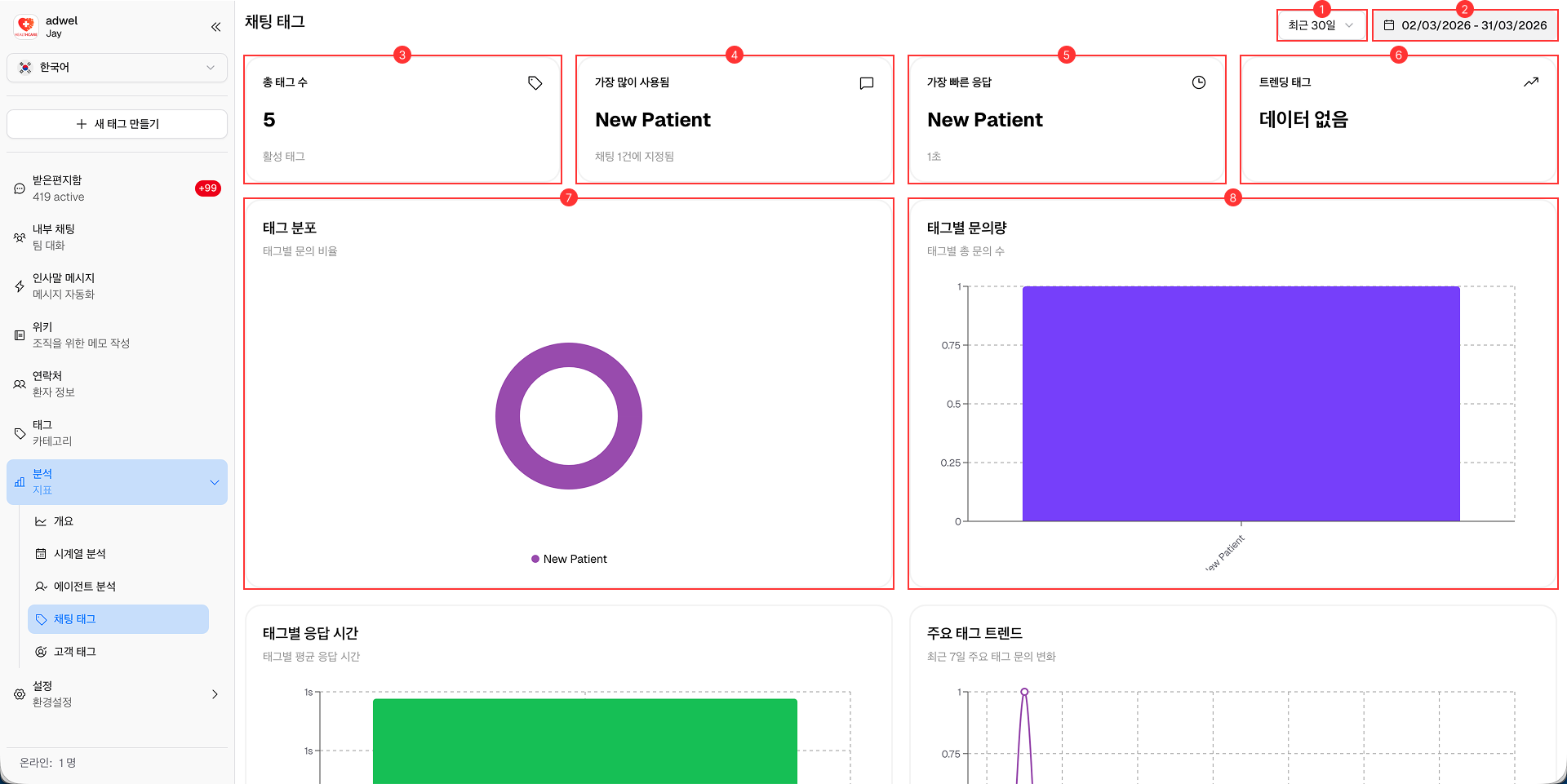
Date Range Selector: Analytics 데이터를 볼 기간을 선택할 수 있습니다.
- 오늘 (Today)
- 지난주 (Last week)
- 지난 30일 (Last 30 days)
- 지난 90일 (Last 90 days)
- 지난 180일 (Last 180 days)
-
Date Display: Analytics 데이터에 대해 현재 선택된 날짜 범위를 보여줍니다. 사용자 지정 날짜를 선택할 때 사용할 수 있습니다.
-
Total Tags: 선택한 기간 동안 병원 내 전체 Chat Tag 수를 표시합니다.
-
Most Used: 선택한 기간 동안 Chat에서 가장 많이 사용된 Tag를 강조하여 보여줍니다.
-
Fastest Response: Chat에서 가장 빠른 평균 Response Time을 기록한 Tag를 나타냅니다.
-
Trending Tag: 이전 기간과 비교하여 사용량이 가장 크게 증가한 Tag를 보여줍니다.
-
Tags Distribution Chart: 선택한 기간 동안 Chat에 사용된 Tag의 분포를 시각적으로 나타냅니다.
-
Tag Volume Chart: 시간 경과에 따라 각 Tag와 연결된 Chat의 규모를 시각적으로 나타내어, 트렌드와 패턴을 추적할 수 있게 해줍니다.
-
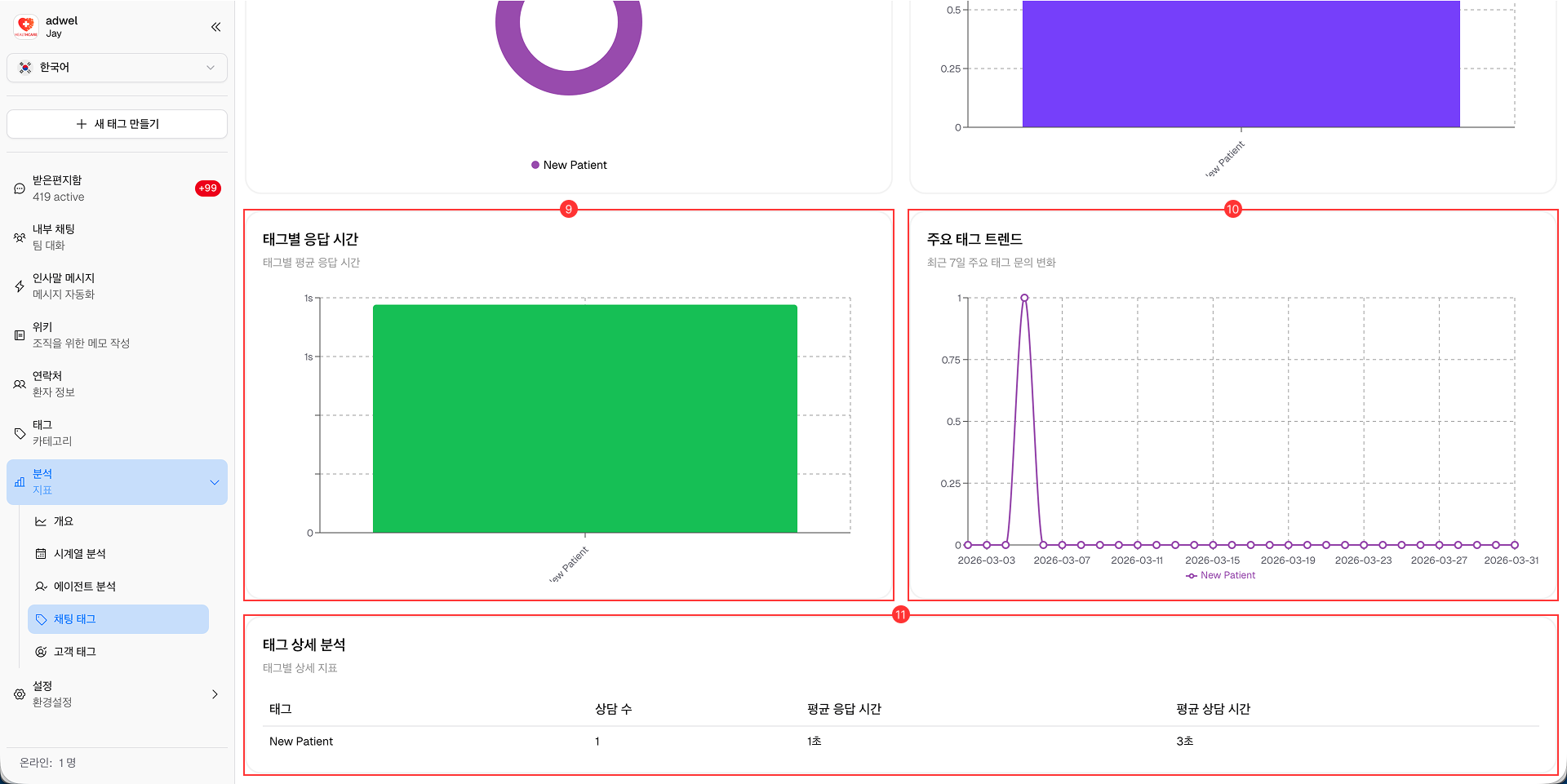
Tag Response Time Chart: 각 Tag와 연결된 Chat의 평균 Response Time을 시각적으로 나타내어, 더 빠른 응답을 위해 주의가 필요한 Tag를 식별하는 데 도움을 줍니다.
-
Major Tag Trend Chart: 시간 경과에 따른 주요 Tag의 트렌드를 시각적으로 나타내어, 특정 Tag의 사용이 어떻게 변화해왔는지 확인할 수 있게 해줍니다.
-
Tag Detailed Analysis Table: 각 Tag에 대한 심층적인 정보를 제공하는 상세 테이블이며, 다음 지표를 포함합니다.
- Tag Name (Tag 이름)
- Chat Count (Chat 수)
- Average Response Time (평균 응답 시간)
- Average Duration (평균 지속 시간)