Chat List Panel

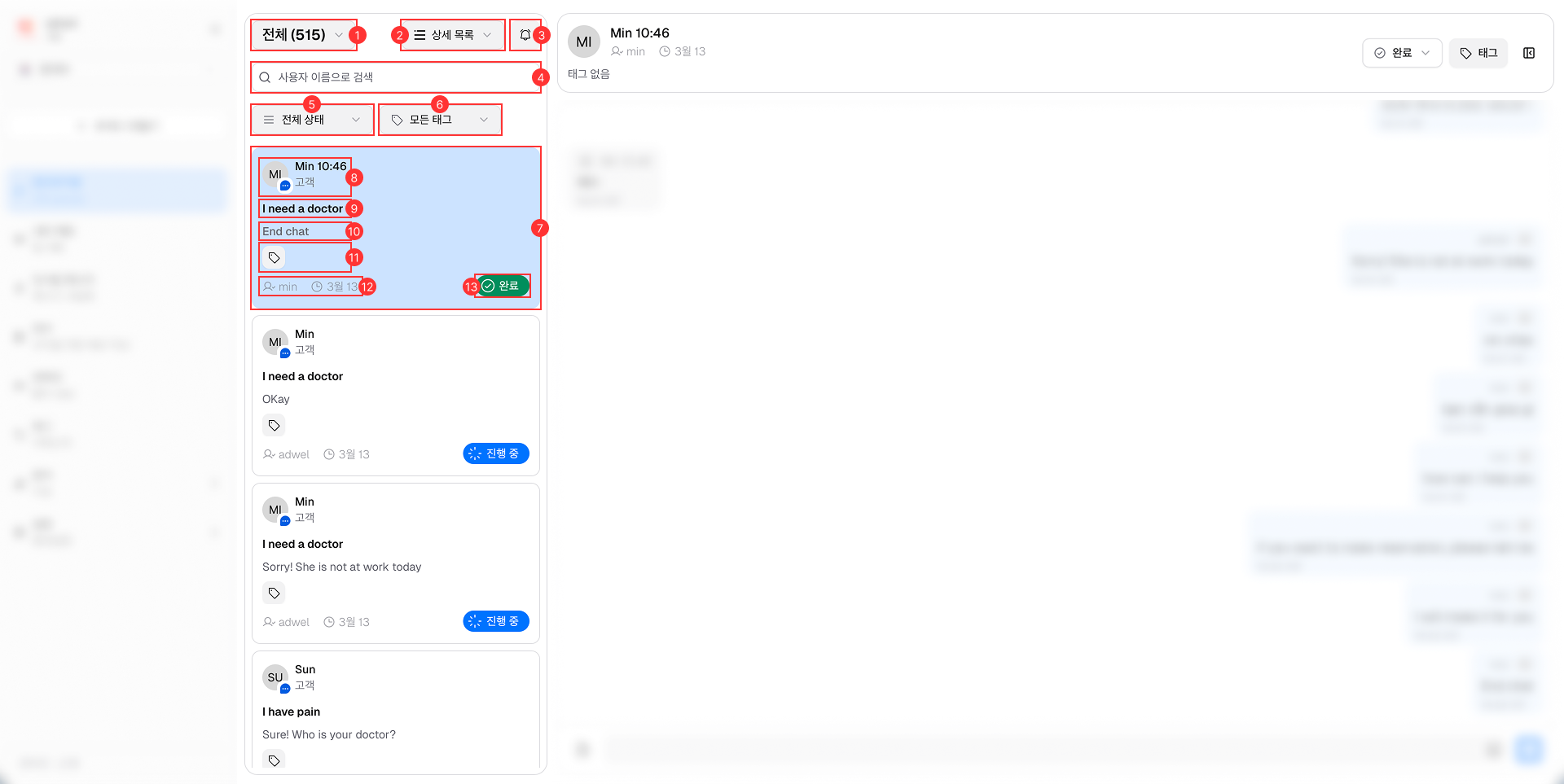
The Chat List Panel is located on the left side of the Live Chat interface.

Chat List Panel

It consists of the following main components:

  1. Number of Chats: Displays the total number of chat Section.

  2. View Options: Allows agents to switch between different views (Details / Compact / Lite List) for the chat Section.

  3. Notification On/Off Button: Toggles chat notifications on or off.

  4. Search Bar: Enables agents to search for specific chat sessions using username.

  5. Status Filter: Allows agents to filter chat sessions based on their status (All / In Process / Completed).

  6. Tags Filter: Enables agents to filter chat sessions based on assigned tags.

  7. Chat Section: Displays a list of chat sessions with patients.

  8. Patient Information: Shows basic information of patients: Name, Avatar and Patient's type (Customer / Visitor).

  9. Chat's Title: Displays the title of the chat session. It can be only assigned when hospital set up Greeting Message and patient interacts with it when starting a chat. (Available in Details and Compact List only)

  10. Last Message Preview: Shows a preview of the last message sent in the chat session. (Available in Details only)

  11. Tags Management: Allows agents to view and manage tags assigned to the chat session.

  12. Last Sent Information: Displays the name of the sender and the time when the last message was sent.

  13. Chat's Status: Indicates the current status of the chat session (In Process / Completed).