시작하세요
라이브 채팅 소개
라이브 채팅(Live Chat)은 병원이 환자와 즉시 소통할 수 있는 실시간 메시징 기능입니다. 이를 통해 상담원은 여러 채팅 세션을 관리하고, 환자 문의에 응답하고, 효율적으로 지원을 제공할 수 있습니다. 라이브 채팅의 채팅 섹션은 환자가 병원 웹사이트나 애플리케이션에 통합된 MChat 위젯을 통해 채팅을 시작할 때만 생성할 수 있습니다.
사용자 인터페이스 개요
라이브 채팅 인터페이스는 사용자 친화적이고 직관적으로 설계되어 상담원이 환자 상담을 실시간으로 효율적으로 관리할 수 있습니다.
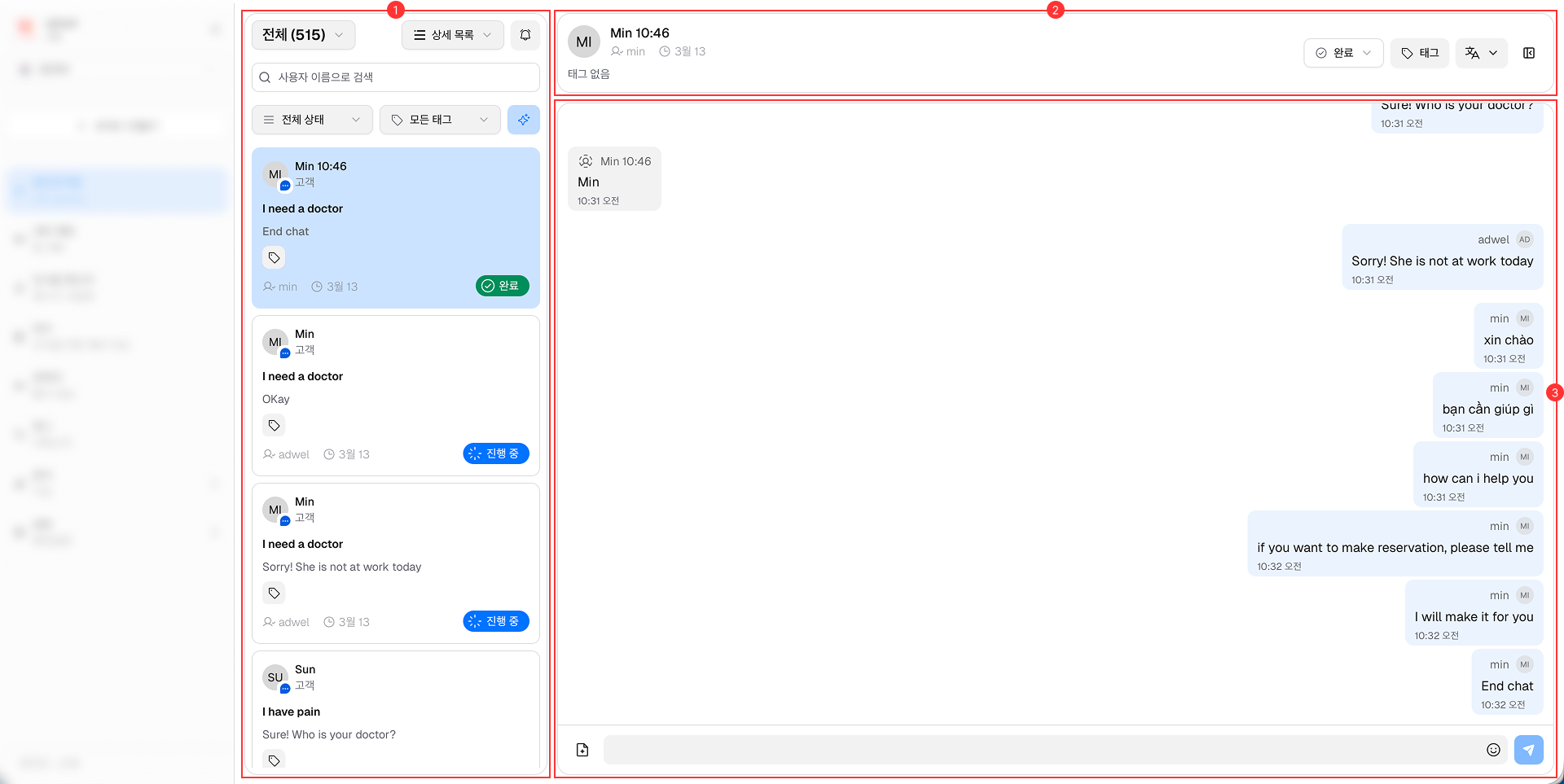
이는 다음과 같은 주요 구성 요소로 구성됩니다.
-
채팅 목록 패널: 왼쪽에 위치한 이 패널은 환자와의 현재 진행 중인 채팅 세션 및 과거 채팅 세션 목록을 표시합니다. 상담원은 다양한 대화 간에 쉽게 전환할 수 있습니다.
-
채팅 헤더: 채팅 창 상단에 있는 헤더에는 채팅 정보, 상태(진행 중/완료), 첨부된 태그 및 채팅 첨부 파일에 액세스할 수 있는 버튼이 표시됩니다.
-
메시지 영역: 대화가 이루어지는 중앙 영역입니다. 상담원과 환자 모두의 메시지가 여기에 스레드 형식으로 표시됩니다. 받은 편지함 영역이 포함되어 있습니다.