Message Area
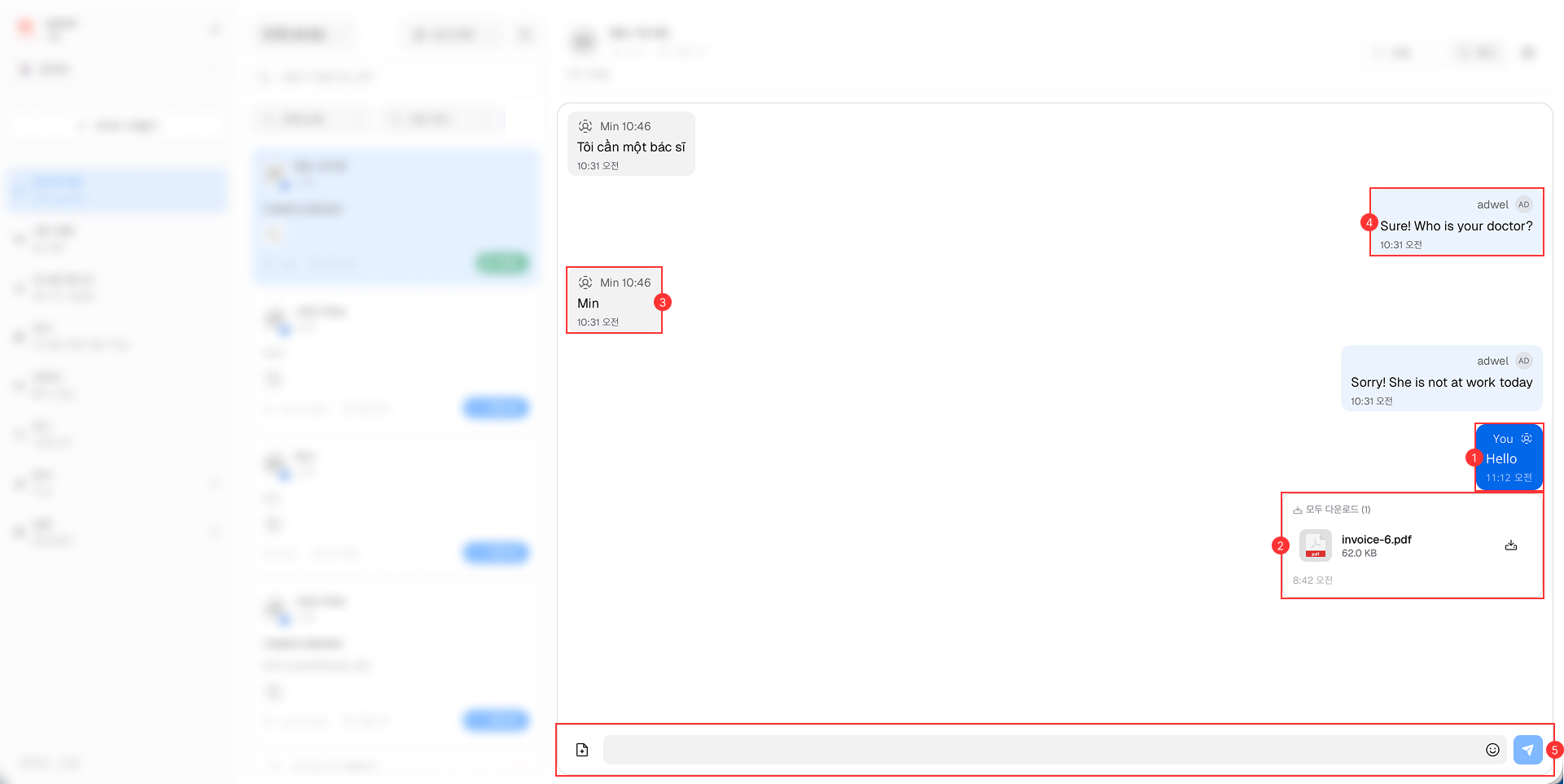
The Message Area is the central part of the Live Chat interface where the conversation between the agent and the patient takes place.

It consists of the following main components:
-
Agent(Self)'s Messages: Displays the messages sent by the agent(self). These messages are typically aligned to the right side of the chat window with blue background.
-
Attachments in Messages: Allows agents to send and receive various types of attachments, including images, files and links, within the chat messages.
-
Patient's Messages: Displays the messages sent by the patient. These messages are typically aligned to the left side of the chat window with gray background.
-
Agent(Other)'s Messages: Displays the messages sent by other agents in the same chat session. These messages are typically aligned to the left side of the chat window with a light blue background.
-
Message Input Area: Located at the bottom of the Message Area, this is where agents can type and send their messages. It includes options to attach files, images and react icons.