Chat's Information Panel
The Chat's Information Panel is located on the right side of the Internal Chat interface. And only appear when you click on the Chat Information Button in the Chat Header.
There are 2 types of Chat's Information Panel:
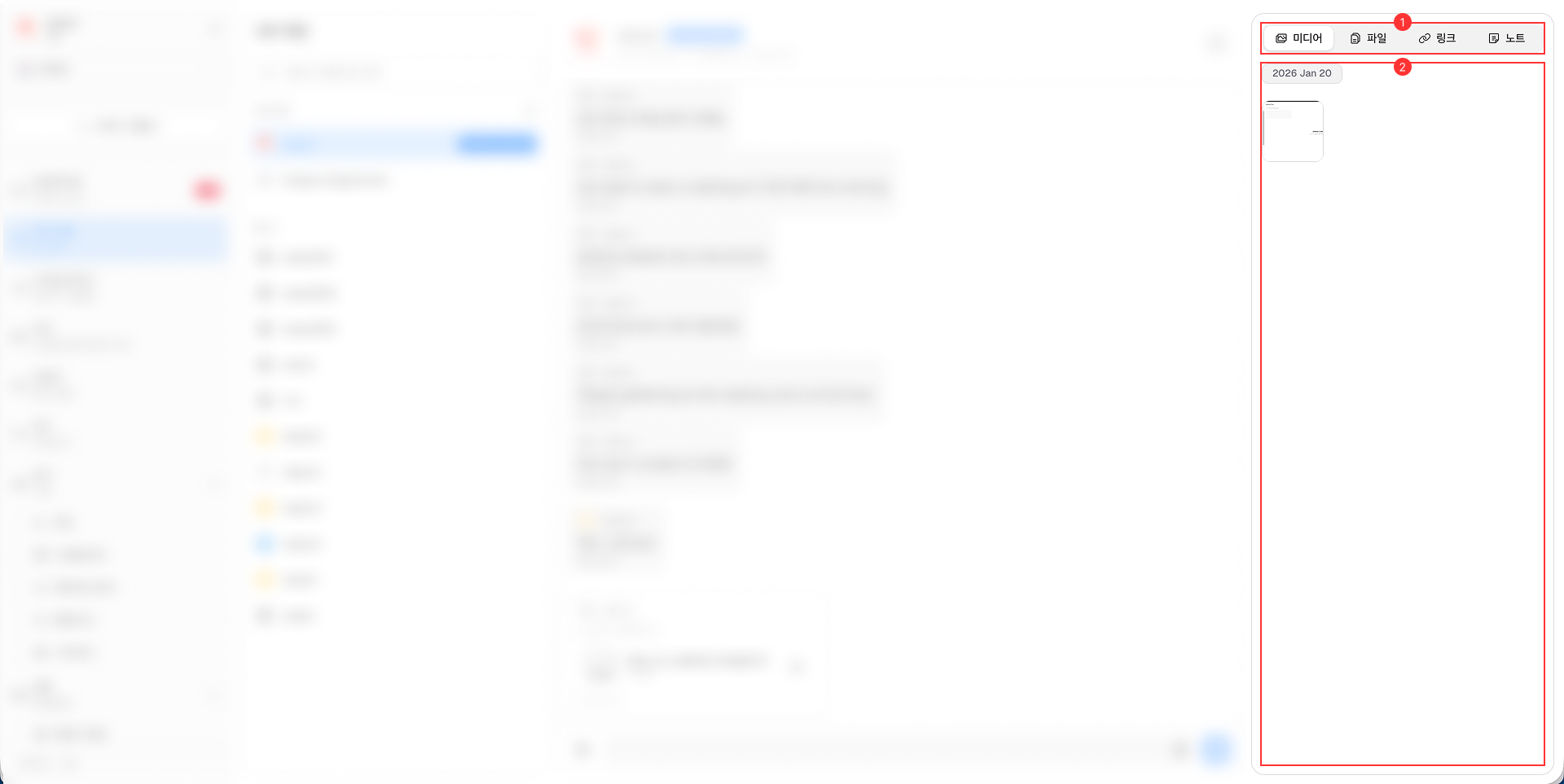
Public Group & Individual Chat Information Panel

It consists of the following main components:
-
Tab Menu: Includes 4 tabs: Media, Files, Links, and Notes. Each tab allows you to view and manage the respective attachments shared in the chat session.
-
Attachments List: Displays the list of attachments shared in the chat session based on the selected tab. You can click on each attachment to view or download it.
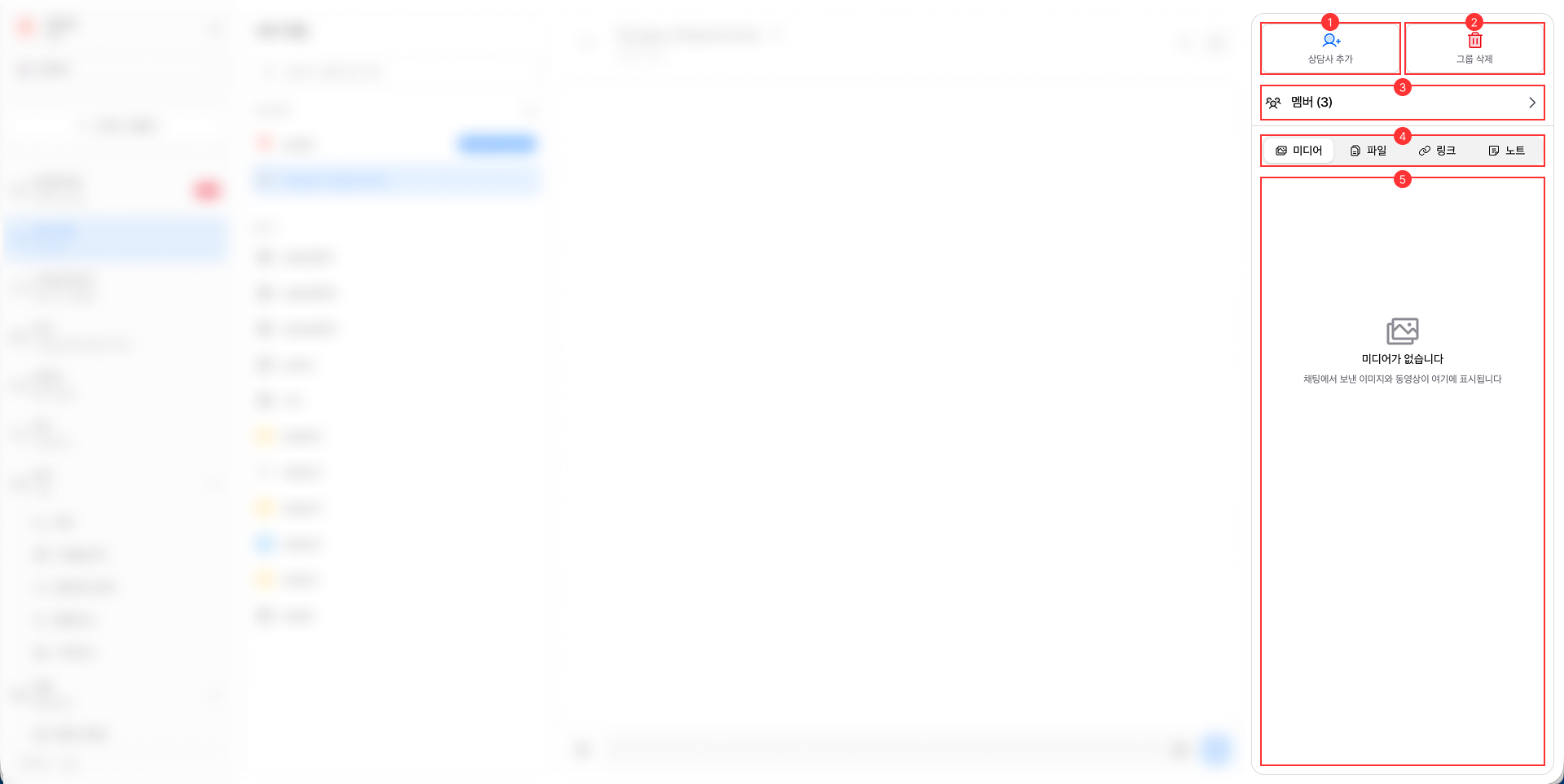
Private Group Chat Information Panel

It consists of the following main components:
-
Add Agent Button: Allows Every members in the private group chat to add new members to the group.
-
Delete Group Button / Leave Group Button:
- If you are the Owner of the private group chat, you will see the Delete Group button that allows you to delete the private group chat for all members. When deleted, all chat history and attachments will be permanently removed, and group chat will be dismissed for all members.
- If you are a Member of the private group chat, you will see the Leave Group button that allows you to leave the private group chat.
-
Members Button: This button allows you to manage all members in the private group chat, including their profile pictures and names.
-
Tab Menu: Includes 4 tabs: Media, Files, Links, and Notes. Each tab allows you to view and manage the respective attachments shared in the chat session.
-
Attachments List: Displays the list of attachments shared in the chat session based on the selected tab. You can click on each attachment to view or download it.