Message Area
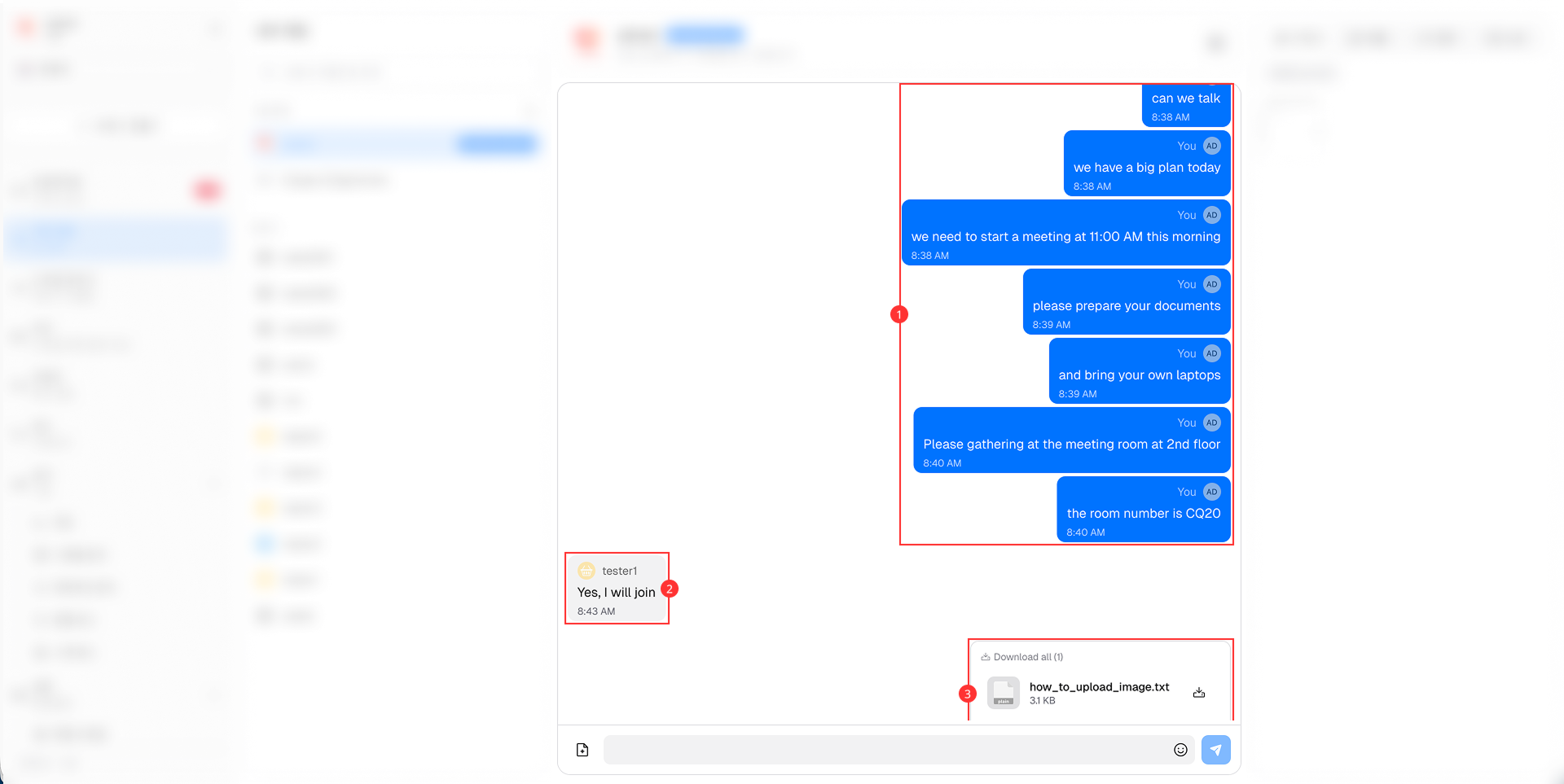
The Message Area is the central part of the Internal Chat interface where the conversation takes place.

It consists of the following main components:
-
Self Messages: Displays the messages sent by self. These messages are typically aligned to the right side of the chat window with blue background.
-
Other Members' Messages: Displays the messages sent by other members in the same chat session. These messages are typically aligned to the left side of the chat window with gray background.
-
Attachments in Messages: Allows agents to send and receive various types of attachments, including images, files and links, within the chat messages.