비공개 그룹 생성
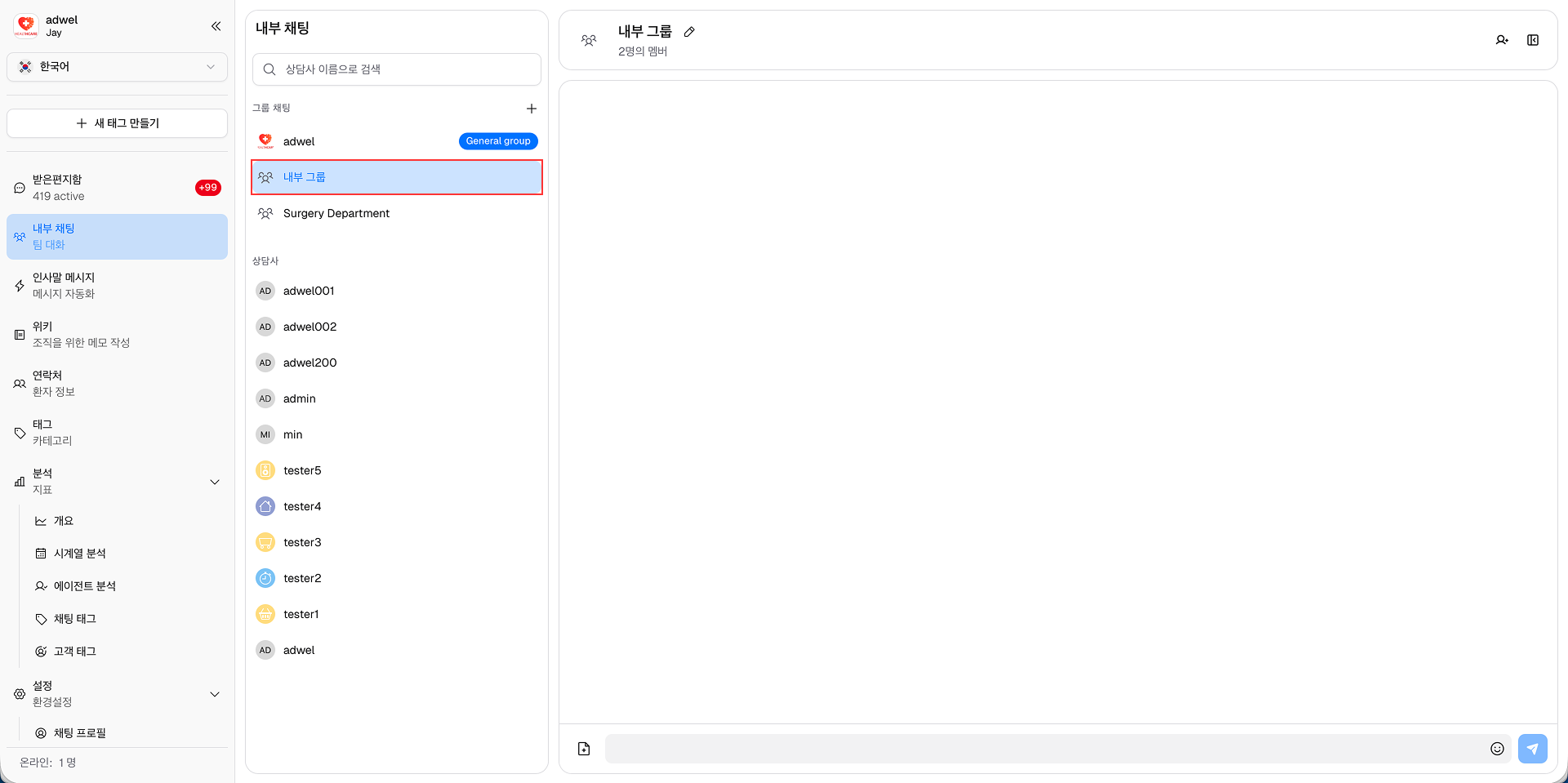
내부 채팅 인터페이스에서 비공개 그룹 채팅을 만들려면 다음 단계를 따르세요.
1단계: 채팅 목록 패널에서 *그룹 채팅 제목* 옆에 있는 더하기(+) 버튼을 클릭하세요.
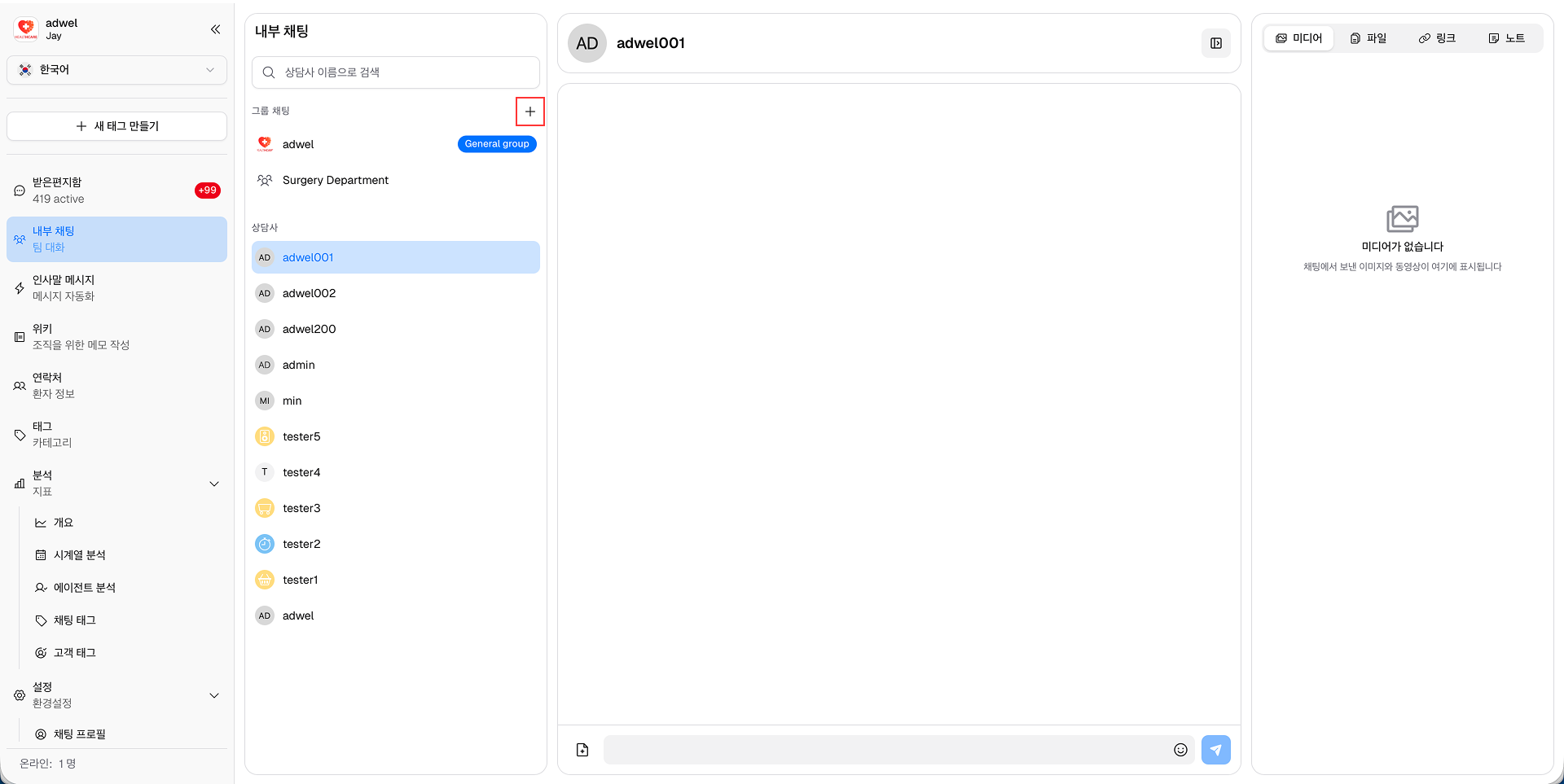
2단계: 그룹 만들기 팝업 창이 나타납니다. 그룹 이름 필드에 비공개 그룹 채팅의 이름을 입력합니다.
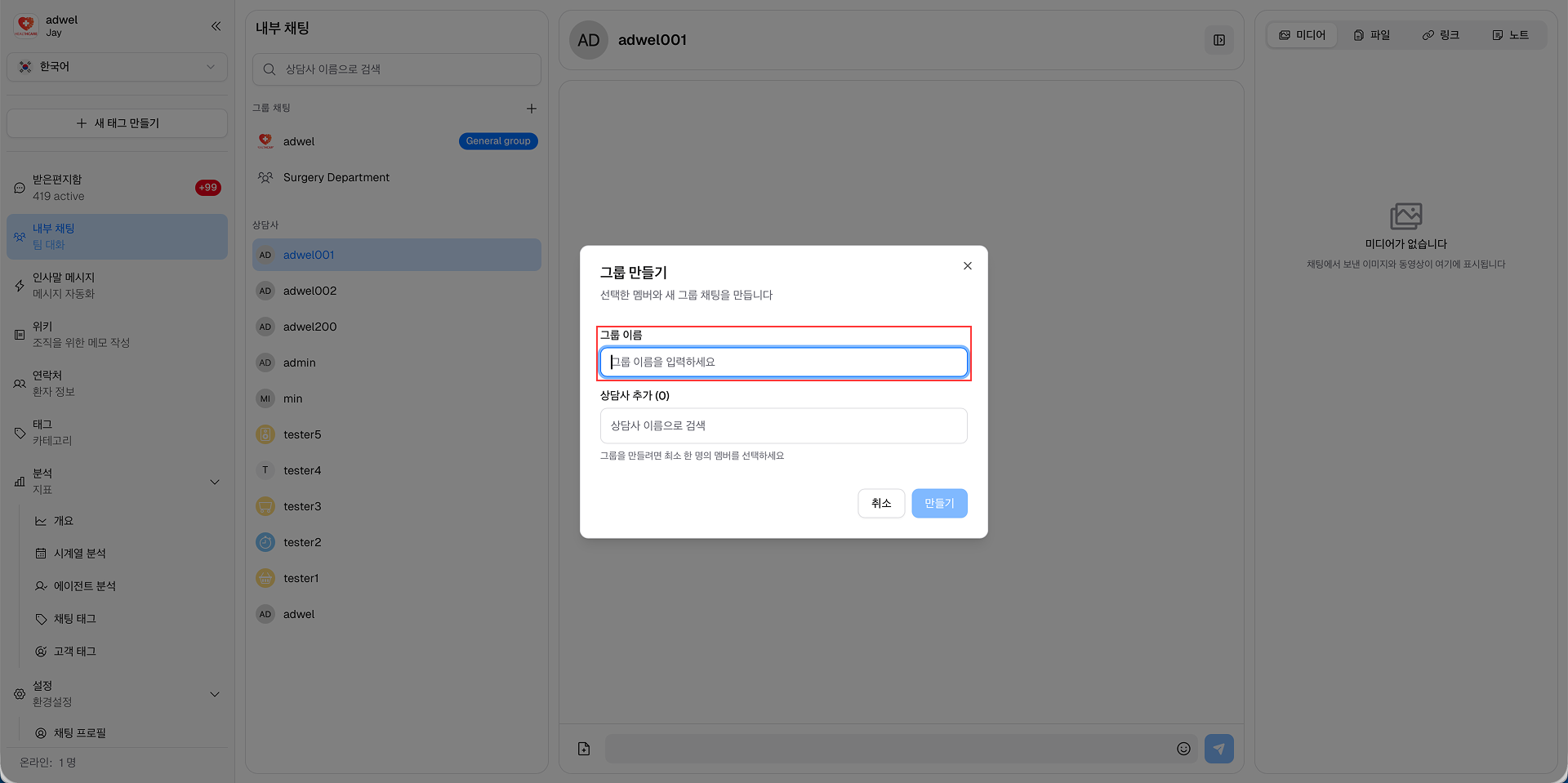
(선택 사항: 구성원 추가 필드에 비공개 그룹 채팅에 추가하려는 상담원의 이름을 입력하세요. 각 이름 뒤에 Enter를 눌러 여러 구성원을 추가할 수 있습니다. 또는 이 단계를 건너뛰고 나중에 구성원을 추가할 수도 있습니다.)
3단계: 만들기 버튼을 클릭하여 비공개 그룹 채팅을 만듭니다.
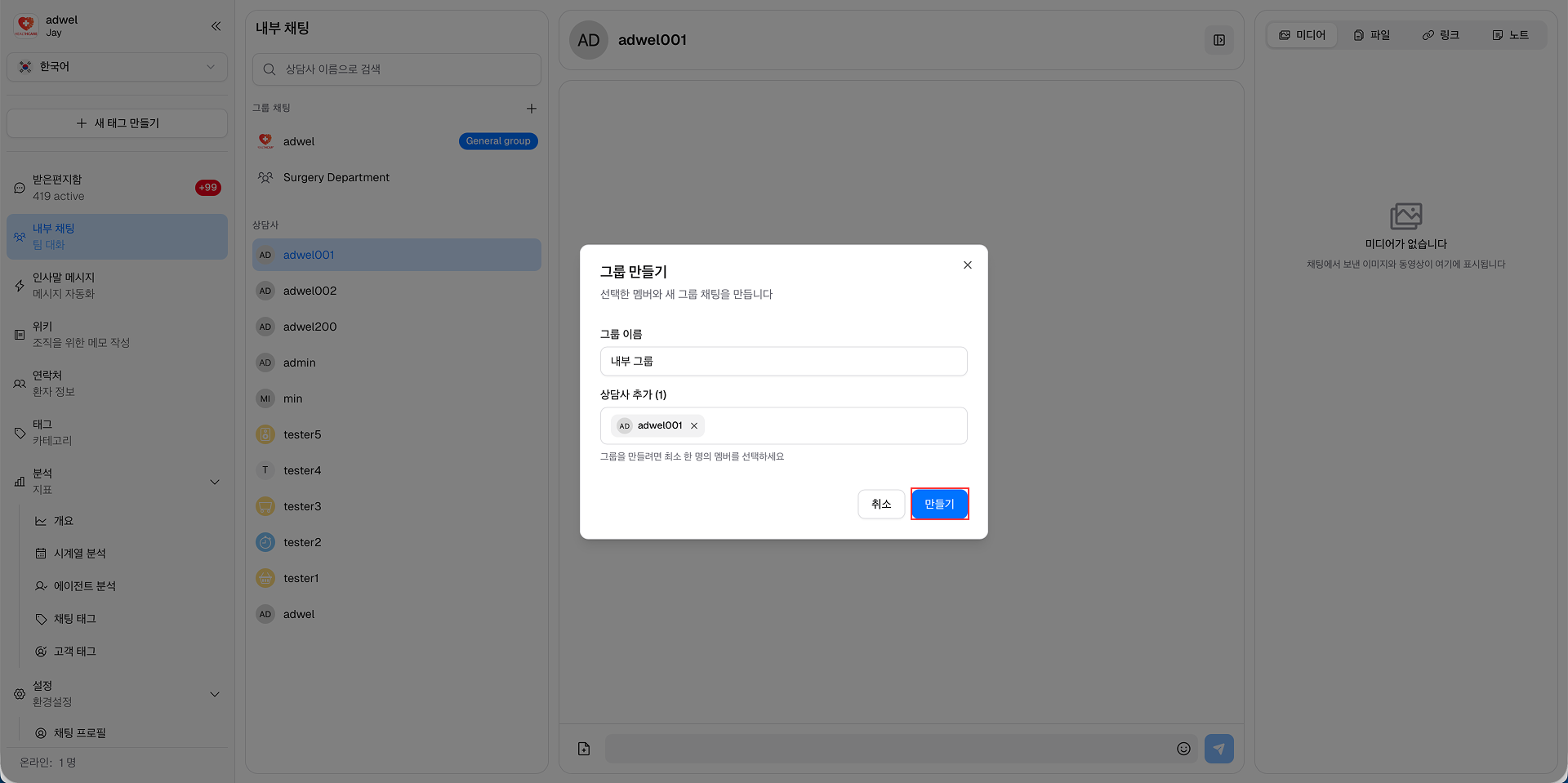
이제 새로 생성된 비공개 그룹 채팅이 채팅 목록 패널의 그룹 채팅 섹션에 표시됩니다. 비공개 그룹의 구성원과 메시징 및 공동 작업을 시작할 수 있습니다.