Get Started
Internal Chat Introduction
Internal Chat is a real-time messaging feature that allows hospital staff to communicate and collaborate efficiently within the organization. It enables agents to manage multiple chat sessions, respond to internal inquiries, and provide support seamlessly.
There are two types of chats in Internal Chat:
-
Group Chat: A chat session that involves multiple internal team members. It is used for team discussions, project collaborations, and general communication among groups of agents. Also there is 2 types of group chat:
-
Individual Chat: A one-on-one chat session between two internal team members. It is used for private conversations, direct communication, and personalized support between agents.
User Interface Overview
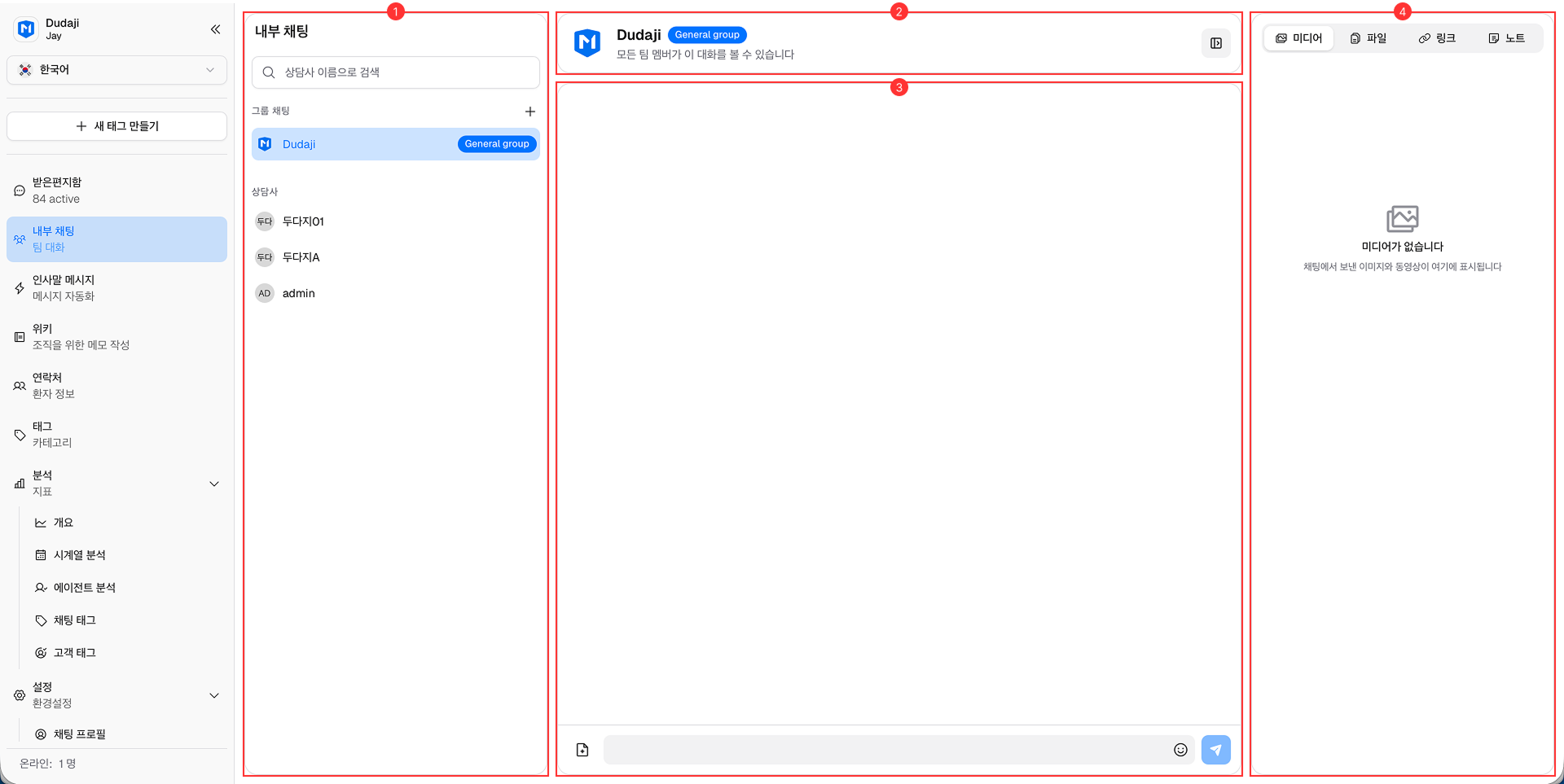
The Internal Chat interface is designed to be user-friendly and intuitive, allowing agents to efficiently manage all chats in real-time.

It consists of the following main components:
-
Chat List Panel: Located on the left side, this panel displays a list of ongoing and past chat sessions with internal team members and groups. Agents can easily switch between different conversations.
-
Chat Header: At the top of the chat window, the header shows the chat's information and button to access Chat's Information
-
Message Area: The central area where the conversation takes place. Messages from both the agent and the internal team members are displayed here. Included inbox area.
-
Chat Information Panel: Located on the right side, this panel provides detailed information about the current chat session, including participant details (private group only), and any relevant notes or attachments.