Members Management in Private Groups

The Members Management feature allows you to view and manage all members in a Private Group chat within the Internal Chat system. This feature is accessible to both the Owner and Members of the Private Group chat.

Open Members Management

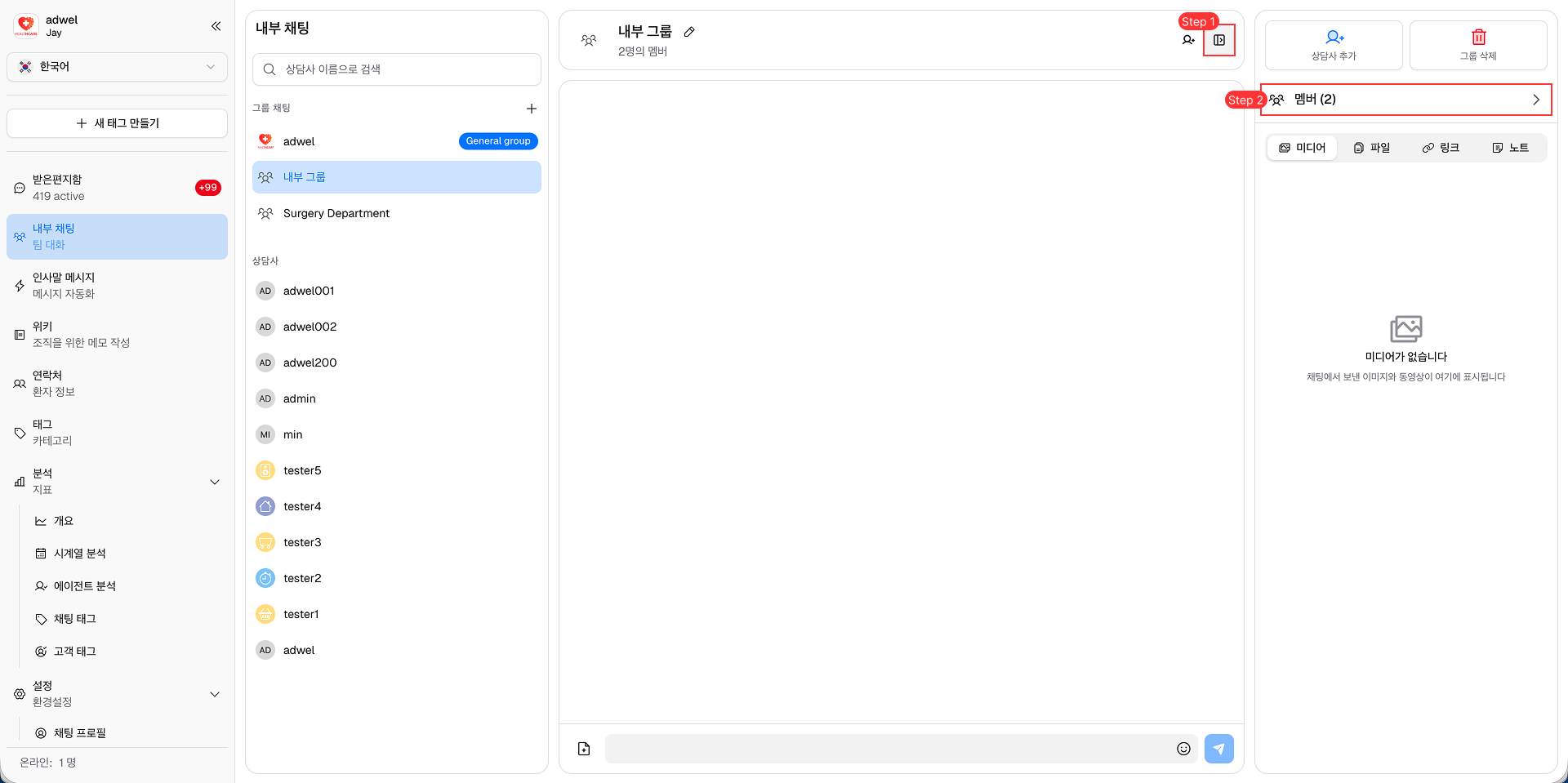
Step 1: In the header of Private Group chat → click on the Chat Information Button to open the Chat's Information Panel.

Step 2: In the Chat's Information Panel → click on the Members Button to open the Members Management Panel.

Open Members Management Panel

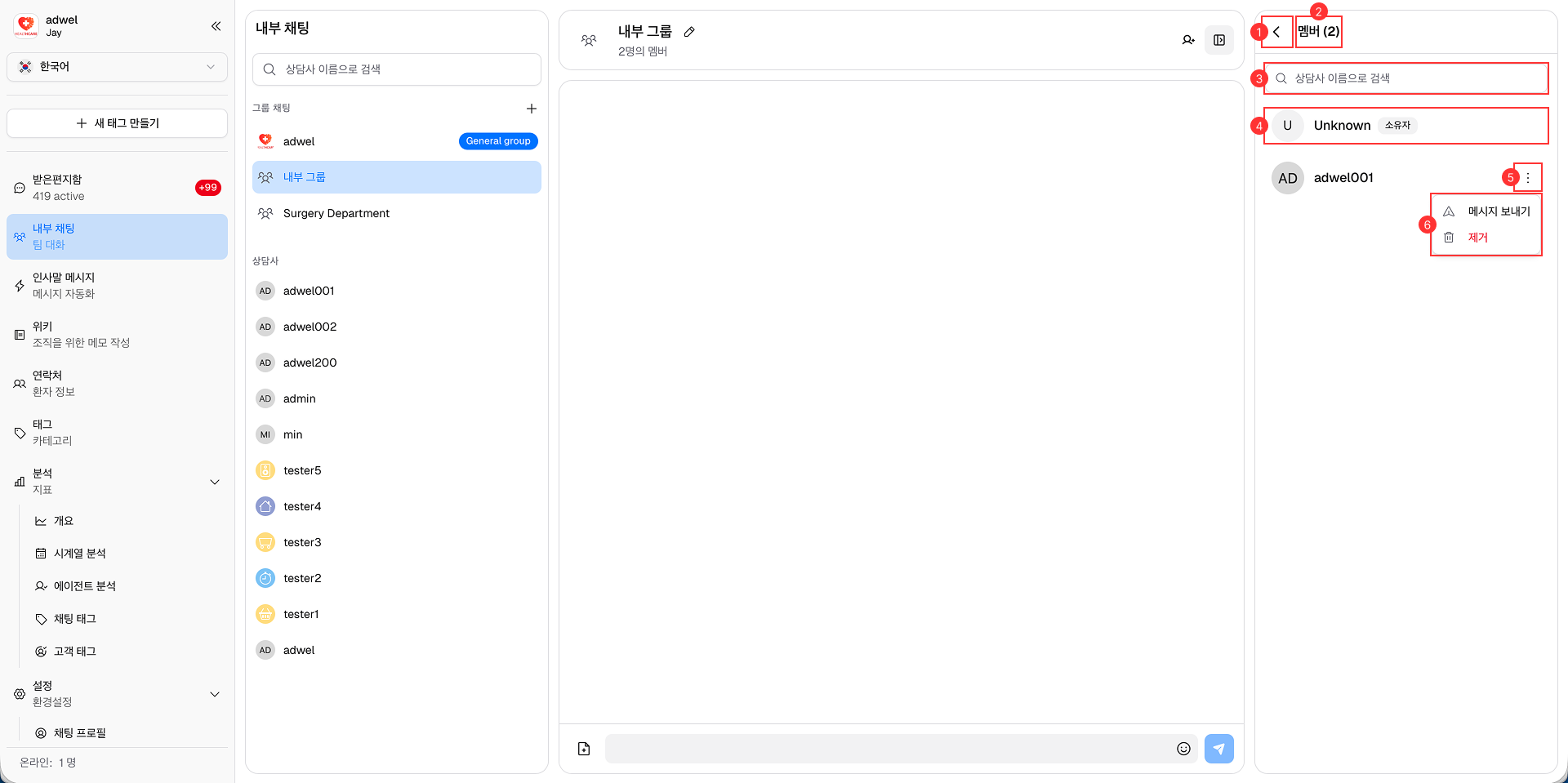
Members Management Panel Overview

It consists of the following main components:

Members Management Panel

  1. Back Button: Click to go back to the Chat's Information Panel.

  2. Member Count: Displays the total number of members in the private group chat.

  3. Search Bar: Allows you to search for specific members in the private group chat by their names.

  4. Member Item: Displays each member's information:

    • Profile Picture
    • Name
    • Role: Owner (just Owner only)
  5. Open Actions Button: Click to open the actions menu for each member.

  6. Actions Menu: Contains the following actions:

    • Send Message: Click to open a new Individual Chat with the selected member.
    • Remove: (Only for Owner) Click to remove the selected member